You typed that question into Google, didn't you? "Which MOOC course is best?" You're staring at a list of courses on Coursera, edX, or Udemy, feeling overwhelmed. Machine Learning from Stanford? Python for Everybody from Michigan? The Science of Well-Being from Yale? They all look good. Promises of career transformation flash before your eyes. But here's the truth no one tells you upfront: There is no single "best" MOOC course. The best course is the one that fits you—your goals, your learning pace, your budget, and even your personality. Asking for the best course is like asking for the best pair of shoes without knowing your size, the terrain, or the occasion.
I've taken over two dozen MOOCs in the last decade, from dabbling in philosophy to seriously upskilling in data science. I've completed some, audited many, and abandoned a few. The landscape has changed dramatically. This guide won't give you a lazy top-10 list. Instead, I'll give you a framework—a step-by-step method—to cut through the marketing hype and find your best course. Let's move from analysis paralysis to confident enrollment.
Your Quick Navigation Guide
Step One: Ruthlessly Define Your "Why"
This is the most critical step most people skip. They jump straight to comparing courses without knowing what they're comparing for. Get a notebook and answer this:
What is your primary goal? Be brutally honest.
- Career Pivot/Skill for a New Job: You need a credential employers recognize, projects for your portfolio, and job-ready skills. Completion certificates matter a lot here.
- Supplemental Knowledge for Current Role: You need specific, actionable knowledge. A deep dive into a tool (like Tableau) or a concept (like Agile project management). A verified certificate might be nice for the resume, but the knowledge itself is key.
- Personal Interest & Curiosity: You're learning for fun. Maybe it's art history, astronomy, or mindfulness. Here, cost, enjoyment, and instructor style trump everything else. Auditing (taking for free) is a fantastic option.
- Academic Exploration/Prep for Formal Study: You're testing the waters before a master's degree or filling knowledge gaps. You need rigorous content, often from top universities, and you care less about a shiny certificate.
Step Two: The Platform Deep Dive (Beyond the Brand Name)
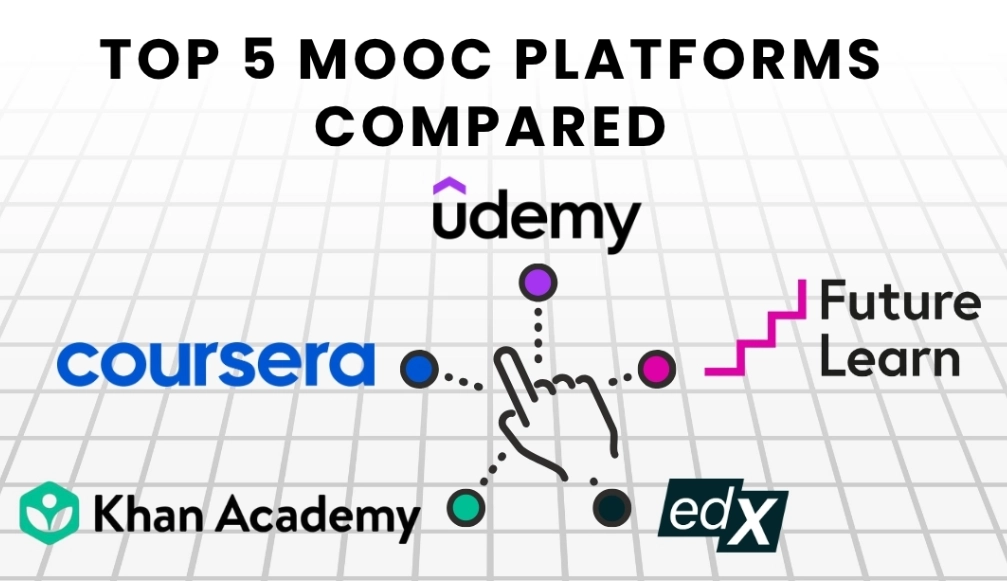
Each major MOOC platform has a distinct DNA. Picking the wrong platform is like shopping for gourmet ingredients at a hardware store. Here’s the unvarnished breakdown.
| Platform | Core Strength & Vibe | Typical Certificate Cost | Best For... | Watch Out For... |
|---|---|---|---|---|
| Coursera | University partnerships (Stanford, Duke, etc.). Structured, semester-like courses. Strong in business, tech, data science. Offers full degrees and Professional Certificates. | $39 - $99 per month (subscription) or $49 - $99 for a one-time course certificate. | Career-focused learners wanting accredited credentials. Those who prefer a traditional academic structure. | Can feel slow-paced. Some older courses feel dated. The subscription model pressures you to finish fast. |
| edX | Also heavy on universities (Harvard, MIT). Slightly more academic and theoretical focus. Renowned for its rigorous STEM and computer science offerings from MIT and Harvard (the famous CS50). | Similar to Coursera. Audit for free, pay for verified track ($50 - $300). | Learners wanting deep, theoretical knowledge. Academic prep. Fans of specific elite universities. | The interface can feel less polished than Coursera. Some courses have infrequent start dates. |
| Udacity | Industry-focused "Nanodegrees." Built with tech companies (Google, AWS). Project-heavy, hands-on, and career-service oriented (resize reviews, GitHub portfolio). | Expensive. Nanodegrees run ~$399/month for a 3-4 month term. | People making a serious, fast-paced career switch into tech (data, programming, AI). Those who learn by doing. | The high cost. It's a major commitment. Less about broad knowledge, more about specific job skills. |
| Udemy | The marketplace. Anyone can create a course. Massive variety (over 200,000 courses). Lifetime access to purchased courses. | Frequent sales ($12.99 - $24.99 is common). Full price is higher but rarely paid. | Learning a specific software, tool, or creative skill quickly. Hobbyists. Those who want permanent access. | Quality is wildly inconsistent. You must vet instructors heavily. Certificates hold little weight with employers. |
| FutureLearn | Social learning focus (strong comment sections). UK and European university partners. Good for humanities, healthcare, teaching. | Free access limited; unlimited access + certificate ~$74 - $279. | Social learners. Topics with strong UK/European expertise (e.g., NHS healthcare courses). | Smaller course catalog than Coursera/edX. Fewer hard-tech offerings. |
My personal bias? For career credibility, I lean towards Coursera/edX. For a specific how-to on, say, Adobe Premiere Pro, I check Udemy. For a full-blown tech career reboot where money is less of an object, Udacity is worth a look.
Step Three: How to Actually Inspect a Course (Before Paying)
You've picked a platform aligned with your goal. Now, don't just read the sales page. Do this detective work.
1. The Syllabus is Your Bible
Open it. Is it a list of fluffy module titles like "Exploring Concepts" or specific items like "Lecture 3.2: Implementing a Random Forest Classifier in Python using Scikit-learn"? Specificity wins. It shows the instructor has a clear plan.
2. Preview, Preview, Preview
Watch the first few video lectures. Is the instructor engaging? Is the audio clear? Is the pacing too fast or agonizingly slow? I've dropped courses solely because I couldn't stand the instructor's monotonous voice. It's a valid reason.
3. The Hidden Gem: The Discussion Forums
Scroll through the forums for past sessions (if available). Look for:
- Instructor Participation: Is the teaching team answering questions? Or is it a ghost town?
- Student Sentiment: Are people saying "This changed my life!" or "Week 3 assignment is broken and no one helps"?
- Real Time Required: Students often post things like "This assignment took me 15 hours, not the 4 suggested." That's gold.
4. Assignment & Assessment Style
Are assessments multiple-choice quizzes you can game, or are they hands-on projects with peer review? For skill-building, projects are infinitely more valuable. Peer review can be hit or miss, but it mimics real-world feedback.
Step Four: The Practical Dealbreakers Everyone Forgets
You love the content. Now, run this final checklist.
Time Commitment vs. Your Real Life: The course says "4 weeks, 5 hours/week." Double it. Seriously. Do you have 8-10 hours free per week for the next month? Be realistic. A half-finished course teaches you nothing.
Schedule & Deadlines: Is it self-paced (like most Udemy courses) or cohort-based with strict deadlines (like many Coursera/edX courses)? Self-paced offers freedom but requires immense self-discipline. Deadlines create structure but can cause stress.
The Total Cost of Learning: It's not just the course fee. Do you need to buy software? (e.g., a specific Adobe license). Are there required textbooks? Factor it all in.
Prerequisites: Don't gloss over these. "Basic Python knowledge" means you should be able to write a loop and a function comfortably, not just know what Python is. Failing to meet prerequisites is the fastest path to frustration and dropout.
Case Study: How Sarah Chose Her "Best" Course
Let's make this concrete. Sarah is a marketing manager wanting to move into data analysis.
Her Why: Career pivot. She needs a credential and portfolio projects to show in interviews.
Platform Shortlist: Coursera (for credentials) and Udacity (for projects). She rules out Udemy (weak credentials) and edX (too theoretical for her immediate goal).
Course Inspection: On Coursera, she finds Google's Data Analytics Professional Certificate. She previews videos, likes the instructor, sees it's hands-on with SQL and Tableau. She checks forums—active community, good support. On Udacity, she looks at the Data Analyst Nanodegree. More expensive, but has a capstone project that's a full analysis from scratch.
Practical Check: The Google cert is $39/month, self-paced. Udacity is $399/month for 4 months. Sarah's budget is tight, and she can only dedicate 10 hours/week. The pressure of Udacity's cost and pace feels too high.
Her Decision: She chooses the Google Certificate on Coursera. It's credible (Google brand), project-based, fits her budget, and the self-paced structure suits her variable schedule. For her, this was the best course. For someone with more money and time wanting a more intensive bootcamp-like experience, Udacity might have been best.
Your Burning MOOC Questions, Answered
 Coursera vs. edX—which one is truly better?
So, which MOOC course is best? The answer is now in your hands. It's the one that aligns with your concrete goal, fits your learning style, passes the preview test, and respects the realities of your life and budget. Stop searching for a mythical number-one ranking. Use this framework, do your homework, and go enroll in the course that's best for you.
Reader Comments